




Why LCD Burn Matters for Digital Signage
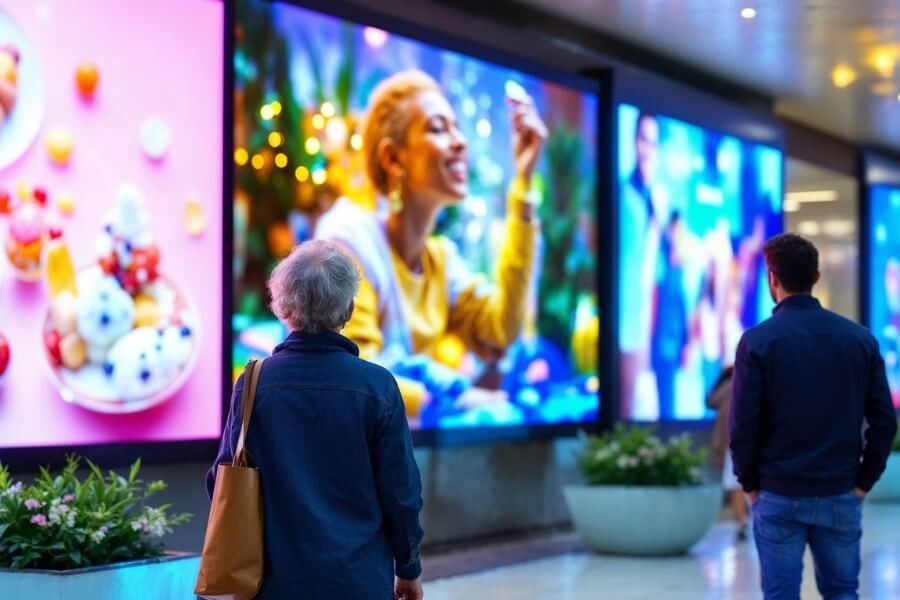
LCD screens are widely used across modern environments. From laptops and tablets to large digital signage displays and commercial video walls, they form the foundation of visual communication in retail, transportation, corporate, and advertising spaces.
Commercial digital signage systems often operate for long hours each day. When certain images remain static on the screen for extended periods, a phenomenon known as LCD burn may occur.
Understanding how LCD burn develops and how to prevent it helps businesses protect display performance, maintain visual clarity, and extend the lifespan of their commercial display systems.
What LCD Burn Really Means
What Is LCD Burn
LCD burn refers to a persistent ghost image that remains visible even after the displayed content changes. This occurs when certain areas of the display experience uneven stress over long periods.
The effect often appears as faint outlines or discoloration on uniform backgrounds such as white or gray screens. Static elements like logos, navigation bars, or menu interfaces are common sources.
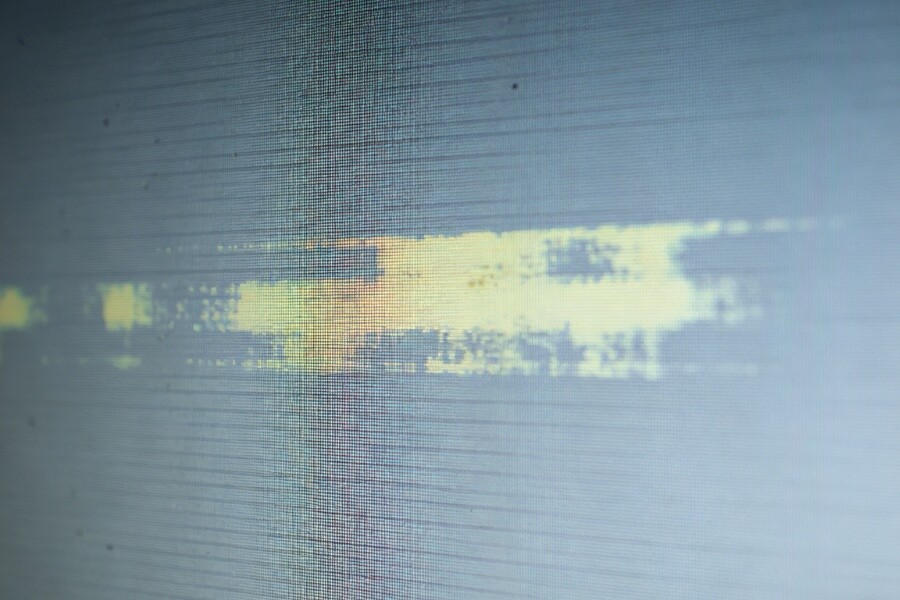
Image Retention vs LCD Burn
Image retention and LCD burn are often confused but behave differently.
Image retention is temporary. The liquid crystal molecules remain slightly polarized after displaying a static image but usually return to normal once the content changes.
LCD burn is permanent. It occurs when uneven wear or prolonged electrical stress causes lasting differences in brightness or color reproduction.
LCD Burn vs OLED Burn-In
LCD and OLED technologies experience burn effects differently.
LCD burn usually results from uneven liquid crystal alignment or backlight aging across the display panel.
OLED burn-in occurs when individual self-emitting pixels degrade at different rates, leaving visible outlines of static images such as channel logos or interface elements.
Why Commercial Displays Face Higher Burn Risk
Commercial displays operate under conditions that differ significantly from typical consumer devices.
Several factors increase the likelihood of LCD burn in digital signage environments.
- Displays often operate 16 to 24 hours per day
- Digital signage frequently includes static design elements
- Bright environments require higher brightness settings
- Advertising content may repeat the same layouts for long periods
These conditions place continuous stress on specific areas of the display.
How LCD Burn Happens Inside the Panel
Liquid Crystal Behavior
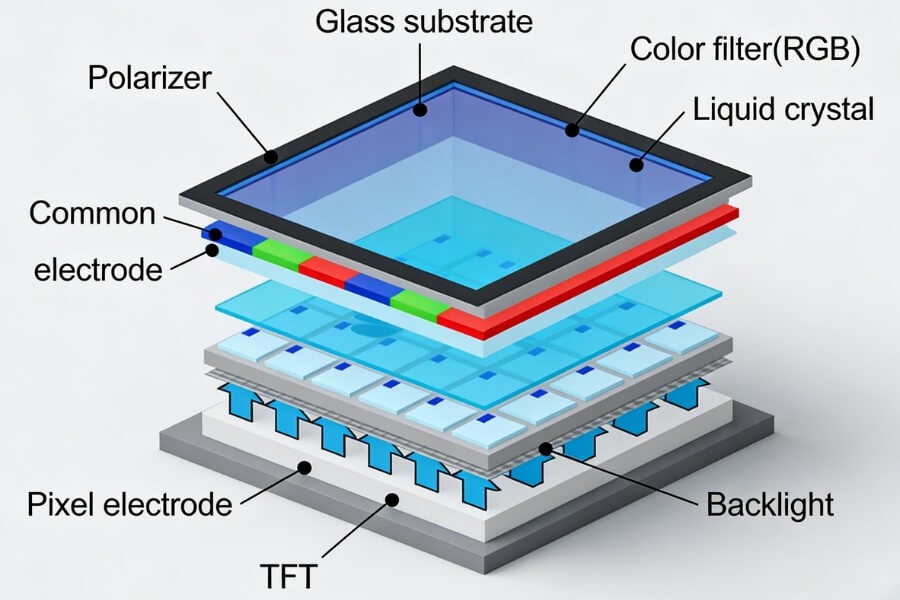
LCD panels control light transmission using liquid crystal molecules that rotate when voltage is applied.
When the same electrical pattern repeats continuously, the molecules may develop a memory effect. This slows their ability to return to their neutral alignment.
Over time this can lead to subtle brightness or color differences.
Backlight Influence
Most LCD displays rely on LED backlighting to illuminate the panel.
If certain regions consistently display bright static content, the backlight behind those areas may age faster than surrounding regions. This uneven aging can create visible brightness variations across the display.
The Most Common Causes of LCD Burn
Several operational factors increase burn risk in commercial digital signage systems.
Static Images
Fixed graphics such as logos, navigation bars, or menu interfaces are the most common cause. These elements keep the same pixels active for extended periods.
High Brightness Settings
Operating a display at maximum brightness increases electrical stress on the panel and backlight system. Over time this accelerates aging and increases the likelihood of uneven illumination.
Continuous Operation
Displays that operate continuously without rest accumulate heat and electrical stress, which can affect panel stability over long periods.
High Ambient Temperature
Heat influences both liquid crystal behavior and backlight efficiency. Poor ventilation or hot installation environments can accelerate display aging.
Consumer-Grade Displays in Commercial Environments
Displays designed for home use may not tolerate continuous operation. Commercial display panels are engineered with improved durability and thermal management.
Early Warning Signs of LCD Burn
Early detection helps prevent long-term damage.
Ghost Image Outlines
Faint shapes of previous images may appear when displaying uniform backgrounds.
Color Shift
Certain areas may appear slightly faded or tinted compared with surrounding pixels.
Uneven Brightness
Some sections of the display may appear darker or brighter when showing neutral colors.
Persistent Interface Shadows
Menu bars or icons may remain faintly visible even after switching content.
Best Ways to Prevent LCD Burn
Smart Content Management
Content design plays a major role in protecting display panels.
- Rotate visual layouts regularly
- Avoid fixed logos or interface elements
- Insert dynamic content between static screens
- Reposition graphics periodically
Optimized Display Settings
Display settings can reduce stress on the panel.
- Adjust brightness according to ambient light
- Avoid constant maximum brightness
- Use automatic standby modes during idle periods
Pixel Protection Technologies
Modern commercial displays often include built-in protection systems.
Pixel shifting moves the displayed image slightly at regular intervals. This movement is nearly invisible but distributes the workload across more pixels.
Pixel refresh functions periodically recalibrate the panel to maintain uniform brightness.
Managing Installation Environment
Proper installation conditions improve long-term reliability.
- Maintain ventilation behind displays
- Avoid heat buildup near video walls
- Clean screens regularly to support cooling efficiency
Advanced Anti-Burn Solutions for Large Displays
Advantages of RUSINDISPLAY Indoor LCD Systems
RUSINDISPLAY provides professional display solutions including freestanding, wall-mounted, ceiling-mounted, and interactive digital signage systems.
These systems are designed for continuous commercial operation and include multiple panel protection technologies.
Key features include
- automatic pixel shifting
- scheduled pixel refresh cycles
- brightness uniformity correction
- intelligent display management
These technologies help maintain consistent visual performance during long operating hours.
Real-World Application Example
A large shopping mall installed a transparent advertising display system developed by RUSINDISPLAY.
The installation operates for approximately 16 hours per day and regularly displays promotional content and brand logos.
By combining pixel shifting, brightness control, and dynamic content rotation, the display maintained uniform brightness and showed no visible burn patterns after extended use.
Daily Maintenance Tips for Long-Term Display Health
Routine maintenance improves reliability and extends display lifespan.
- Rotate content layouts regularly
- Maintain proper ventilation around displays
- Schedule rest periods when possible
- Clean screens periodically
- Inspect display performance during routine maintenance
These simple practices help ensure digital signage systems remain stable and visually consistent.
FAQ
Q1: How long can an LCD screen operate before burn appears?
The lifespan depends on usage conditions. Commercial LCD displays designed for digital signage can operate for many years without burn when brightness levels are properly managed and content rotates regularly. Static images left on screen for long periods significantly increase the risk of uneven aging and visible burn patterns.
Q2: Can LCD burn be repaired?
Permanent LCD burn is usually irreversible because it results from uneven panel aging. Temporary image retention may fade after the display rests or runs pixel refresh cycles. Preventive measures such as dynamic content rotation and brightness control remain the most effective way to protect long-term display performance.
Q3: Does lowering brightness help prevent LCD burn?
Yes. Lower brightness reduces electrical stress on the LCD panel and backlight system. Operating the display at moderate brightness slows uneven aging and improves long-term stability. Many commercial digital signage systems use automatic brightness adjustment to balance visibility with panel protection.
Q4: Which images are most likely to cause LCD burn?
High-contrast static images create the highest risk. Bright logos on dark backgrounds, fixed menu bars, and static interface elements place constant stress on the same pixels. Over time this uneven workload can produce ghost images or brightness differences across the display.
Q5: How does pixel shifting prevent burn?
Pixel shifting moves the displayed image by a few pixels at regular intervals. The movement is almost invisible but spreads activity across a wider area of the panel. This prevents specific pixels from displaying the same static content continuously and helps maintain consistent brightness.
RUSINDISPLAY delivers professional OLED, Transparent Display, and Indoor LCD solutions with rapid 3D scene creation, reliable performance, and support from over 120 global brands. Our systems help businesses increase foot traffic and achieve fast ROI while enjoying stable technical support and seamless after-sales service. Whether used for modern retail environments, exhibition spaces, or commercial digital signage networks, our solutions combine advanced display technology with practical installation experience to create reliable visual communication systems.